proomt

Search

Search posts, papers, and topics

All posts

CodeName OneShai Almog5 min readadvanced

Can You Tell the Difference Between These iOS Tab Bars?

Summary

Codename One meticulously reverse-engineered iOS 27 tab bar animations and glass effects by recording UIKit's per-frame presentation geometry. This allowed them to replicate the subtle motion, spring physics, and vibrancy, achieving a near-native user experience without using native components.

  • Achieving native UI fidelity requires precise measurement of presentation layers, not just visual matching.
  • UIKit's complex animations involve frame-by-frame updates, not simple CAAnimations, necessitating per-frame geometry logging.
  • Different gestures (tap, hold, drag) require distinct damped spring models with specific omega and zeta parameters.
  • iOS vibrancy is a complex color matrix transformation, not a simple alpha or blur effect, with different formulas for light/dark modes.

This article is valuable for UI framework developers and mobile engineers aiming to achieve pixel-perfect, native-feeling UI components without relying on platform-specific implementations.

8/10
Related reading

  1. Seeing Double with the iPhone Duo [FREE]

    A speculative preview of Apple’s upcoming iPhone Duo, summarizing hinted‑away SwiftUI/UIKit APIs (size classes, split view, tab‑bar placement, toolbar axis, badge, overflow) and advising developers to target iOS 27 SDK now while waiting for Xcode 27.1.

    Ray Wenderlichkodeco.com5 min
  2. A Mac App, Not an iOS App on a Mac

    Codename One switched its default Mac build from iOS‑Catalyst to a native AppKit port. The new path creates true NSApplication/NSWindow objects with per‑window CAMetalLayer rendering, native menus, text input, multi‑monitor support and accessibility, eliminating the costly image‑copy pipeline of Catalyst and enabling proper desktop window behavior.

    CodeName Onecodenameone.com3 min
  3. WebKit Features for Safari 27.0

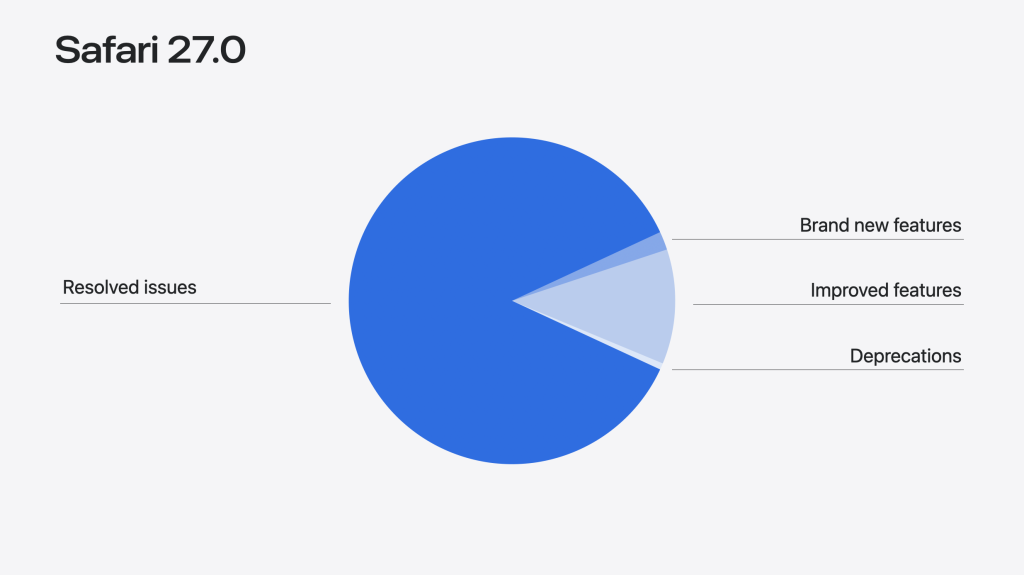
    Safari 27.0 adds a local MCP server for AI‑driven automation, a fully stylable `<select>` via `appearance: base-select` and new pseudo‑elements, the `<model>` element for embedding 3D assets, `sizes="auto"` for responsive images, a `shadowrootslotassignment` attribute for declarative shadow roots, and a large set of quality‑focused fixes (844 resolved issues).

    WebKitwebkit.org84 minHN4
  4. One App, More Than One Native Window

    Codename One now supports true native desktop windows via a new `Window` class that separates per‑surface state (paint queue, input routing, native peers) from the global `Display`. The change adds a `PaintSurface` abstraction, platform‑specific window back‑ends (AWT/Swing, Direct2D, GTK, UIWindowScene), and a migration path for components that assumed a single `Form`. Initial release has some UI…

    CodeName Onecodenameone.com11 min
  5. Release Notes for Safari Technology Preview 252

    Safari Technology Preview 252 adds several WebKit platform updates, including new CSS features like named-feature() in @supports and unprefixed user-select, plus bug fixes across accessibility, animations, HTML, and JavaScript. The release also corrects worker termination, Promise.try behavior, and line‑clamp rendering, which can affect Safari‑targeted web apps.

    WebKitwebkit.org10 minrelease
  6. Native Drag and Drop Meets Cross-Device Continuity

    Codename One 8.0 adds two user‑experience primitives: **Cross‑Device Continuity** (state checkpointing + Apple Handoff + custom HTTP relay) and **Native Drag‑and‑Drop** (OS‑level drag using the same ClipboardContent model). The post shows the API (StateProvider, Continuity.checkpoint, NativeDragOperation), platform support tables, and practical advice on payload size, security, thread handling, a…

    CodeName Onecodenameone.com7 min